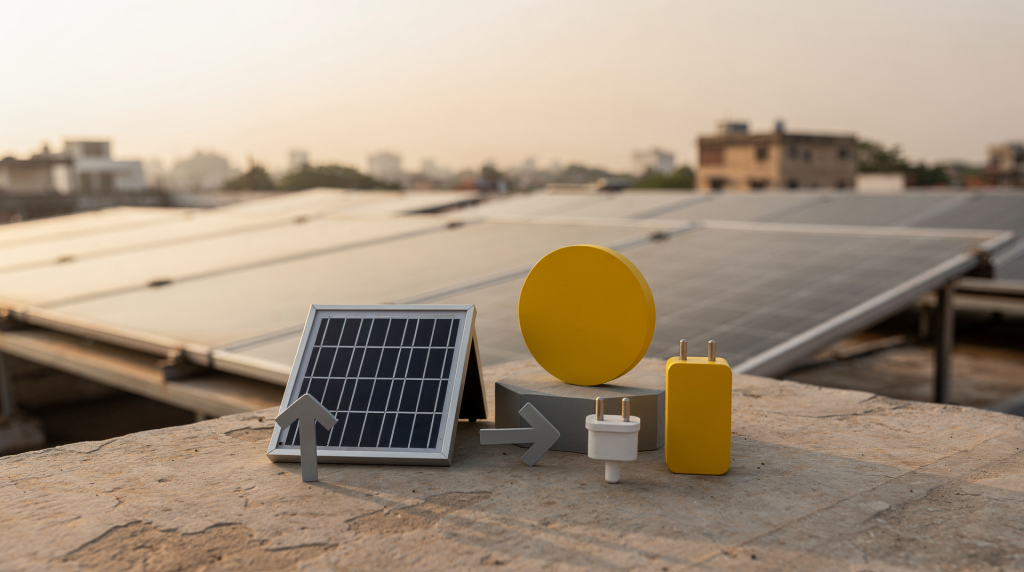
Solar power symbols are not decorative afterthoughts. When you place them in an infographic, an investor deck, a training slide, or a residential design presentation, they give the viewer a way to read energy flow, understand rooftop layout, and spot exactly where panels, wiring, shading, and electrical equipment fit into a plan. In India, where rooftop solar often goes onto existing homes, terrace structures, and compact urban plots, a clear symbol system separates a presentation that looks polished from one that actually helps owners, architects, and installers make sound decisions.
Why solar power symbols matter in presentations
Most solar diagrams fail because they try to explain too much with too little structure. A solid symbol library solves that by converting technical information into visual shorthand that the eye can process quickly. Without a consistent set of icons, every slide becomes a fresh puzzle; with one, a viewer knows immediately that a filled rectangle with a grid pattern means a PV array, a dashed boundary means a future zone, and an arrow with a north mark means the sun path.
Use solar icons when you need to show:
- where panels sit on a roof
- how sunlight moves across the site
- where shading may reduce performance
- how power moves from roof to inverter to distribution board
- which zones are reserved for solar-ready planning
- what parts of the home are architectural versus electrical
In practice, a strong icon set lets your audience scan the slide in seconds instead of reading a paragraph. For an architect presenting a solar layout to a homeowner in Mumbai or Pune, that difference often decides whether the client understands the roof plan or just nods politely.
What counts as a solar power symbol
A solar power symbol is any visual mark that represents a solar-related object, process, or condition. In a presentation, it can be a simple line icon, a filled pictogram, a diagrammatic symbol, or a hybrid mark paired with a label. What matters is that the symbol carries the same meaning every time it appears on the slide.
Common categories include:
- solar panels
- sun and sun path markers
- inverter symbols
- battery storage icons
- electrical grid connection symbols
- roof orientation indicators
- shading or obstruction markers
- energy flow arrows
- warning or maintenance signs
For architecture and residential planning, these symbols rarely live alone. They need to sit comfortably next to floor plan icons such as doors, windows, stairs, and structural lines. A PV array icon drawn in a different visual style than the wall lines around it will look like a sticker, not part of the plan.
Core icon set for solar infographics
A practical solar icon set for infographics must cover both the energy system and the home layout. That gives you flexibility across marketing, planning, and education materials without forcing you to switch between incompatible symbol families.
Essential symbols to include
| Symbol type | What it represents | Best use case |
|---|---|---|
| Solar panel icon | PV modules on a roof | Roof plans, brochures, system overviews |
| Sun path icon | Direction and movement of the sun | Shading studies, orientation diagrams |
| Inverter icon | DC to AC conversion point | Electrical flow diagrams, service notes |
| Battery icon | Storage unit | Backup power explanations |
| Grid icon | Utility connection | Net metering, hybrid system diagrams |
| Arrow flow icon | Movement of energy | Infographics, step-by-step explainers |
| Shading icon | Trees, parapets, tanks, nearby obstructions | Solar access studies |
| Roof zone icon | Reserved panel area | Solar-ready floor plans |
Keep the style consistent. If one icon is outline-based, the entire set should follow the same line weight, corner radius, and visual language. Mixing a thin linear sun icon with a chunky filled battery icon will make the legend confusing, no matter how clearly you label things.
How solar symbols fit into floor plans
Floor plans are not just room maps. For solar-ready homes, they also show how the building handles daylight, roof access, wiring, and equipment placement. A well-drawn plan makes the solar system feel like a native part of the house, not an afterthought bolted on later.
In a residential plan, solar-related symbols usually appear in three places:
- roof plan
- electrical layout
- site or orientation diagram
A roof plan may show panel zones, setbacks, maintenance walkways, and tank locations. An electrical layout may show inverter placement, cable routes, meter position, and distribution board connections. A site diagram may show north, sun path, and shading from adjacent buildings or trees. When all three sheets use the same icon language, a contractor can move from one drawing to the next without relearning the visual system.
Architectural symbol libraries you should not ignore
Solar presentations become far clearer when they borrow from architectural symbol libraries. These symbols are the base language of the drawing, and without them the solar layer floats in a visual void.
Useful floor plan symbols include:
- doors and door swings
- windows and openings
- stairs
- columns and walls
- plumbing fixtures
- electrical points
- roof edges and parapets
- access ladders or stair access to terrace
When solar symbols are layered onto this base, the plan becomes readable for both technical and non-technical viewers. A homeowner can see that the inverter sits near the staircase, the panel zone avoids the water tank, and the cable path follows the wall — all because the underlying architectural drawing gives those solar icons a real place to belong.
Practical rule
If a symbol affects roof use, access, or energy performance, it should be visible on the same sheet as the solar layout. Do not hide key roof constraints in a separate note. A tank location buried in the plumbing schedule will be missed during a quick rooftop review, and that is exactly how shading losses get designed into a system before a single panel is installed.
Designing symbols for Indian homes
Indian homes create specific planning conditions that your symbol set should reflect. Generic solar icons from a Western template often miss the terrace tank, the parapet wall, the overhead service line, or the compact urban plot that defines so many residential projects here.
Common India-specific conditions include:
- flat RCC terraces
- water tanks on roofs
- parapet walls
- overhead wiring or service lines
- compact urban plots
- mixed-use or phased construction
- shade from neighboring buildings
- monsoon-related drainage considerations
That means solar icons should not look too generic. They need to communicate actual rooftop conditions in Indian residential layouts. A tank icon on a US-style pitched roof looks out of place; on an Indian terrace drawing, it is often the single most important shading object.
Good India-focused symbol choices
- terrace tank icon for roof obstruction
- parapet edge marker for usable roof boundary
- north arrow with sun path
- cable riser marker for hidden electrical routing
- inverter wall icon for cool, shaded placement
- maintenance walkway symbol for safe access around panels
These symbols are not exotic. They simply reflect what an installer or architect actually sees when stepping onto an Indian rooftop. Once the drawing language matches the physical reality, miscommunication drops sharply.
How to use solar symbols in infographics
A solar infographic should tell one story at a time. Do not overload one frame with every symbol available, or the viewer will spend more time decoding the legend than understanding the content.
Think of an infographic as a single sentence made visual. If you need to explain two ideas — say, shading losses and backup power flow — split them into two graphics rather than trying to fit both into one cluttered layout.
Best infographic formats
- process flow: sun → panel → inverter → home → grid
- rooftop layout: usable zone, shaded zone, equipment zone
- comparison chart: solar-ready vs non-solar-ready roof
- education slide: what each symbol means
- cost or benefit slide: where design choices reduce installation friction
Tips for clarity
- use one icon per idea
- keep labels short
- reserve bright colors for performance or warnings
- use gray for structural or background elements
- use green or yellow only where they add meaning
- avoid mixing cartoon icons with technical symbols
A common error is adding a playful sun with a face next to a detailed electrical schematic. The tone clash makes both look unprofessional. Stick to a single visual register: technical, clear, and consistent.
Step-by-step: building a solar-ready presentation slide
The order in which you build a slide matters as much as the icons themselves. A structured sequence keeps the visual hierarchy clean and prevents the slide from becoming a symbol dump.
- Start with the main message.
- Choose the drawing type: infographic, floor plan, or schematic.
- Add the architectural base layer first.
- Mark the roof zone, north direction, and shading obstacles.
- Place solar symbols only where they support the story.
- Add arrows to show energy or sunlight flow.
- Label critical points like inverter, meter, and panel zone.
- Review the slide for clutter and remove duplicate symbols.
Following this sequence does more than keep things neat. It forces you to decide why a symbol is needed before it appears. If an icon does not help the viewer understand the main message, it probably should not be there.
Common mistakes to avoid
Even good-looking presentations often fail on readability. The problem is rarely the quality of the icons; it is the lack of a system behind them.
Frequent errors
- using too many icon styles in one layout
- placing solar panels without showing roof orientation
- forgetting shading objects like tanks or neighboring walls
- using arrows that do not clearly indicate direction
- mixing decorative icons with technical symbols
- hiding the inverter or cable route
- labeling every symbol instead of grouping them logically
What usually works better
- one style system
- one color code
- one legend
- one hierarchy of information
- one clear takeaway per slide
Repetition is not boring in technical drawings; it is the point. When every arrow means the same type of energy flow and every dashed line means a future element, the viewer stops thinking about the legend and starts reading the layout.
Symbol conventions that improve understanding
If you want people to read the graphic faster, follow a consistent convention. A small set of well-chosen visual rules does more than a large set of cleverly drawn icons.
Recommended convention table
| Visual cue | Meaning | Example |
|---|---|---|
| Solid outline | Permanent building element | Walls, parapets |
| Dashed outline | Potential or future element | Future panel zone |
| Filled icon | Installed equipment | Inverter, battery |
| Arrow | Energy or sun direction | Power flow, sun path |
| Crosshatch | Restricted or shaded zone | Areas to avoid |
| Label tag | Technical identification | “PV array”, “DB”, “meter” |
Consistency matters more than artistic detail. A clean symbol set with simple outlines and predictable meaning is far easier to understand than a highly decorative one. In solar planning, the goal is clarity, not illustration awards.
Where these symbols are most useful
Solar power symbols are especially effective in:
- investor presentations
- architect-client briefings
- rooftop solar proposals
- educational slides
- sales brochures
- installation training decks
- residential floor plan guides
- case studies for solar-ready homes
In India, they are also valuable for explaining solar upgrades to homeowners who are not familiar with electrical drawings or architectural notation. A clear symbol set gives them a way into the conversation without asking them to learn technical drafting first.
Checklist for a strong solar symbol library
Before publishing any visual set, run through this checklist. It catches the small inconsistencies that quietly undermine an otherwise solid presentation.
- symbols are visually consistent
- line weights match
- icons scale well on mobile and desktop
- roof-related symbols are distinct from electrical ones
- every important symbol has a legend
- sun direction is shown clearly
- shading risks are visible
- panel placement can be read at a glance
- icons work in both color and monochrome
- the set fits Indian home layouts, not just generic global examples
This list is not aspirational. It is the minimum standard for a symbol library that will actually help someone plan a solar installation rather than just make a slide look nice.
When to combine symbols with floor plan examples
A symbol alone is useful. A symbol plus a real layout example is much better. The icon tells you what something means; the layout example shows you how it behaves in a real space.
Use both when you want to show:
- how a solar zone fits onto a terrace
- why a roof corner should stay clear
- how a cable route reaches the inverter
- where the meter board connects to the solar system
- how roof access affects maintenance
This is the fastest way to move a reader from “I understand the icon” to “I know how to apply it.” A simple floor plan with a tank icon, a shaded crosshatch, and a panel zone labeled “PV array” teaches more in one glance than a page of abstract symbol definitions.
FAQ
What is the difference between a solar icon and a floor plan symbol?
A solar icon usually represents an energy-related object or process, while a floor plan symbol represents a building element such as a wall, door, or stair. They work together: the floor plan symbol gives the solar icon a physical context.
Do I need separate symbols for panels, inverter, and battery?
Yes. Each element plays a different role, so separate symbols make the system easier to read and explain. A single generic “solar box” icon hides the fact that one component sits on the roof, another on the wall, and a third in a service area.
Should solar symbols appear on the roof plan or the electrical plan?
Ideally on both, but with different emphasis. The roof plan shows placement and shade, while the electrical plan shows connections and equipment. The same symbols can be used on both sheets, but the roof plan emphasizes orientation and obstacles, while the electrical plan emphasizes flow and connection points.
How detailed should a solar infographic be?
Detailed enough to answer the user’s question, but not so detailed that the slide becomes cluttered. One goal per graphic is usually best. If a single infographic tries to explain panel tilt, shading, battery sizing, and net metering all at once, it ends up explaining none of them well.
What makes a solar symbol library useful for Indian homes?
It should reflect terrace roofs, parapets, tanks, shading from neighboring buildings, and practical cable and inverter placement. A library built around flat terraces, overhead wires, and compact plots will immediately feel familiar to an Indian homeowner, while a generic pitched-roof icon set will look foreign and require constant explanation.
Conclusion
Solar power symbols are not just visual decoration. In the context of Indian homes, they are a practical language for explaining roof use, energy flow, shading, and solar-ready planning. When you combine clear solar icons with architectural floor plan symbols, your infographic or presentation becomes easier to understand, more credible, and more useful for real project decisions.
If the goal is to help a homeowner, architect, or installer read the plan quickly, the best symbol system is the one that stays simple, consistent, and tied to how the home will actually work. That is the standard to aim for, whether you are designing a single slide or a full library of solar-ready floor plan symbols.